A practice with twelve clients has twelve separate taxpayers, each with their own tax number, their own numbering and their own chain of invoices. The practical question is not whether the software can issue an invoice: it is how many clicks there are between one client and the next, and what happens the day somebody picks the wrong one.
The client list
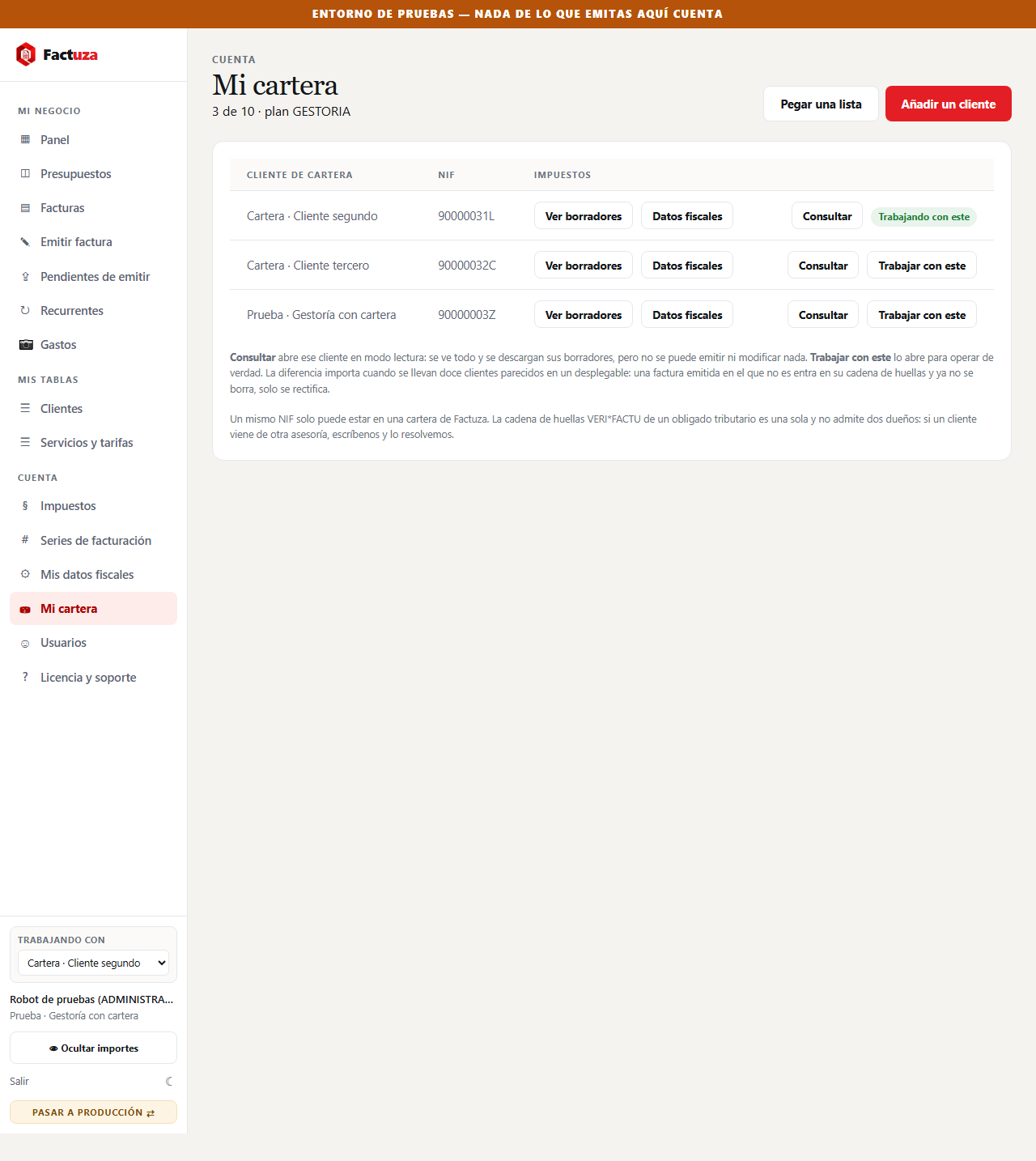
Every client on one screen, with the bundle allowance in plain sight. Each row carries its own actions, and the client you are currently working on is marked.
Looking without being able to touch
This is the part that took us longest to decide. When you go in to review a client —see how the quarter is going, download a draft— you are not there to issue them anything. And with twelve similar names in a dropdown, issuing on the wrong one takes a moment's inattention.
That cannot be undone. An issued invoice enters that tax number's hash chain and can only be corrected, never deleted. So there is a read-only mode: you see everything, you download everything, and you cannot write anything.
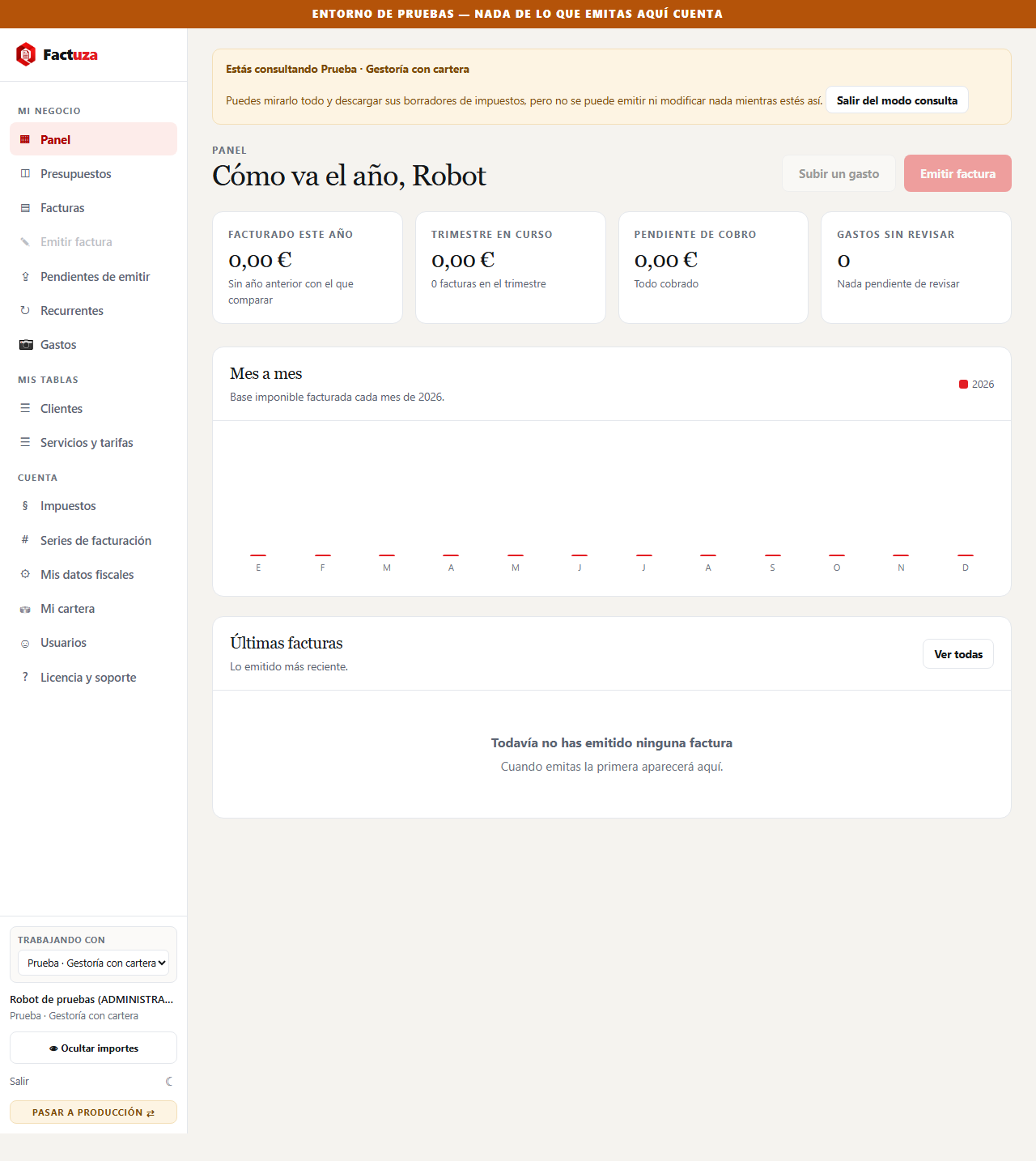
The brake is not in the buttons. It is in the one place every call to the server goes through, so a new screen cannot forget about it.
A client's tax returns, in two clicks
From the client list itself you open any of their quarters, already in read-only mode.
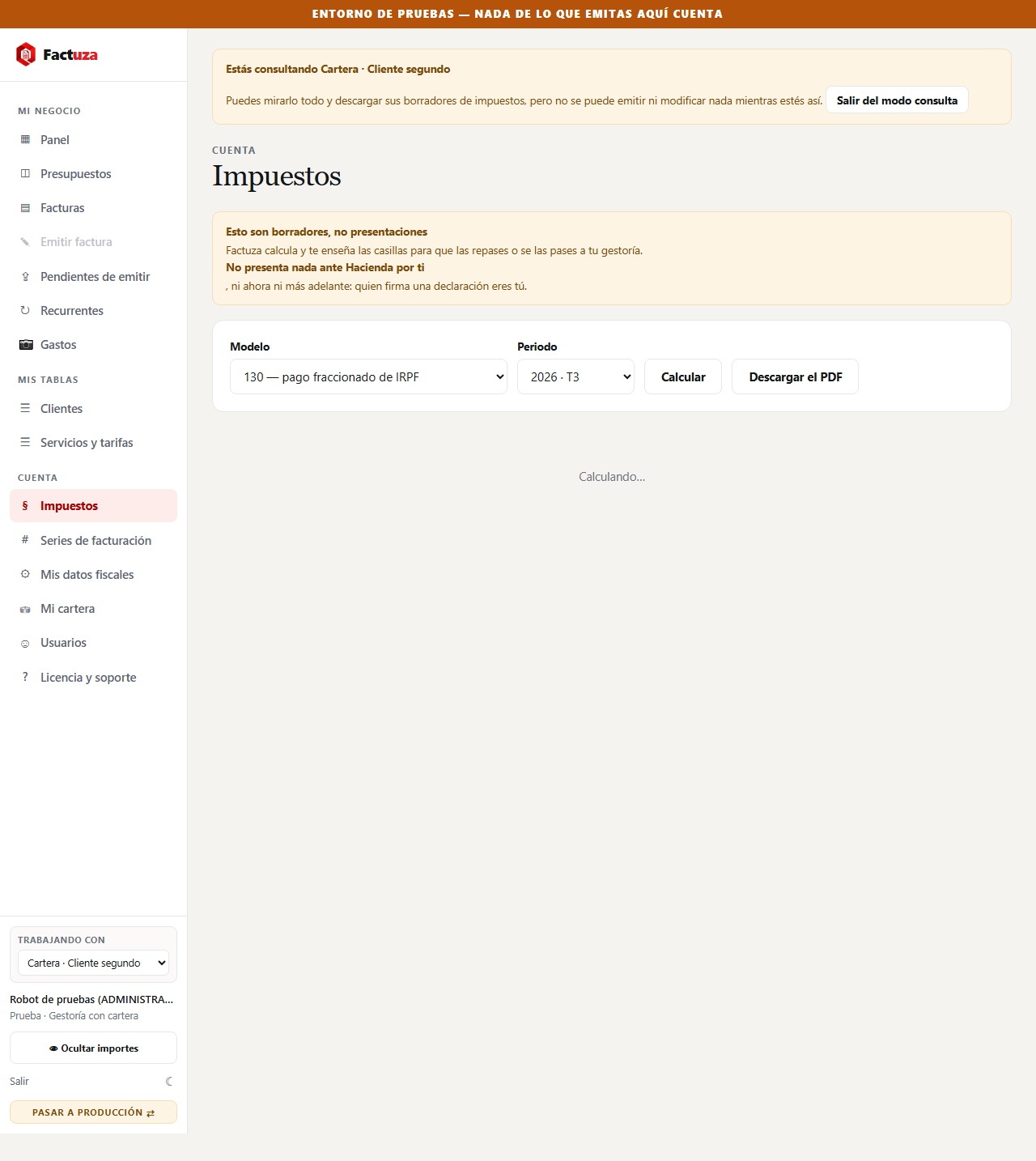
Worth saying plainly, because there is a lot of hot air about this: what is calculated from real data today is Modelo 303 and Modelo 130. Modelo 390, 347, 202, 349, 115 and 111 are in the product and they tell you they do not calculate yet. We would rather you read it here than discover it on 20 January.
Registering the client list: paste and done
Nobody is going to type twenty clients into a two-field form when they have them in a spreadsheet. You paste them.
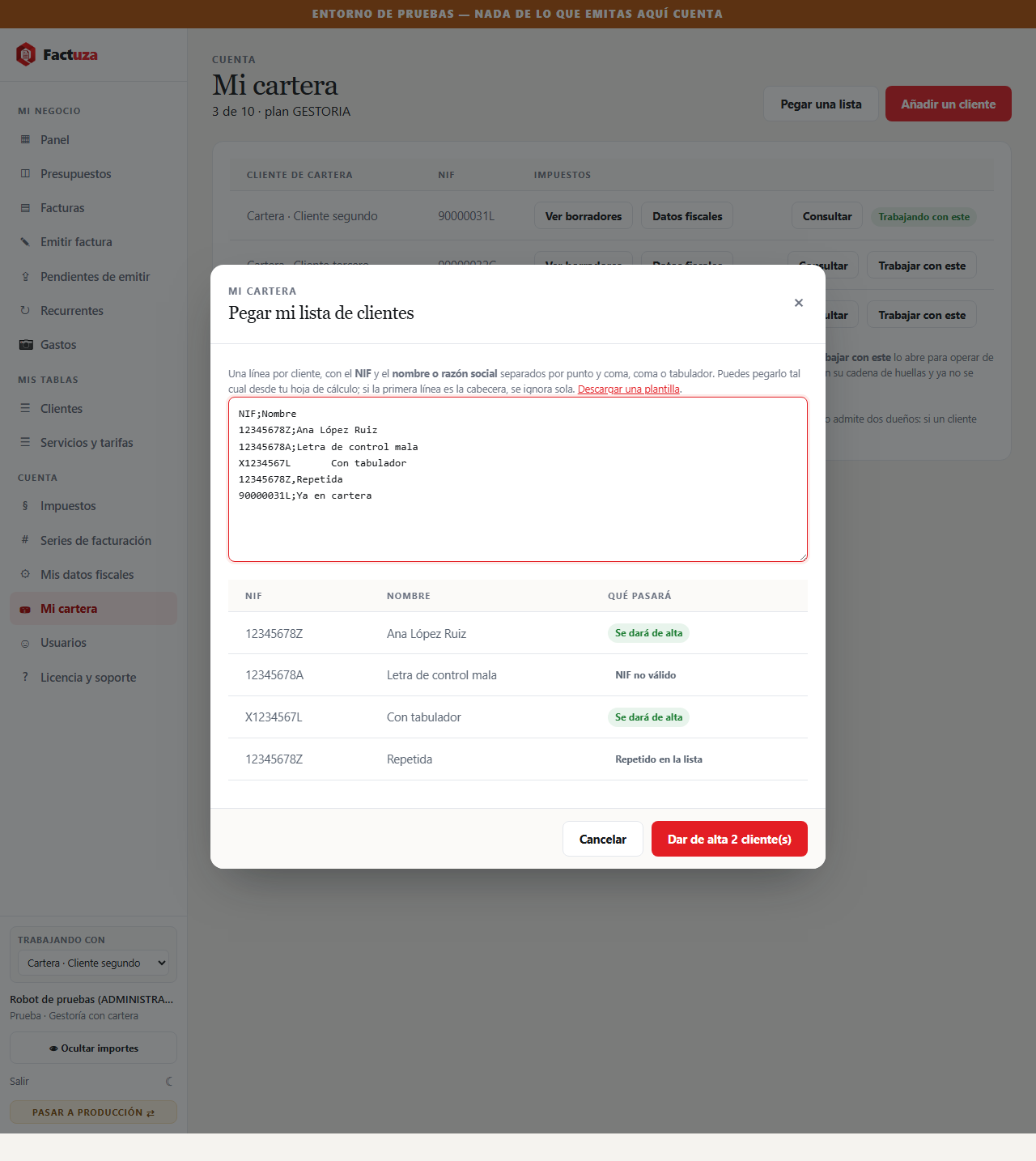
It accepts semicolons, commas and tabs —whatever comes out of Excel— and swallows the header row by itself. It checks the check letter on every tax number, spots duplicates within the list itself and the ones already in your client base. And it counts the allowance: if you paste twenty and four slots are left, it says so before starting.
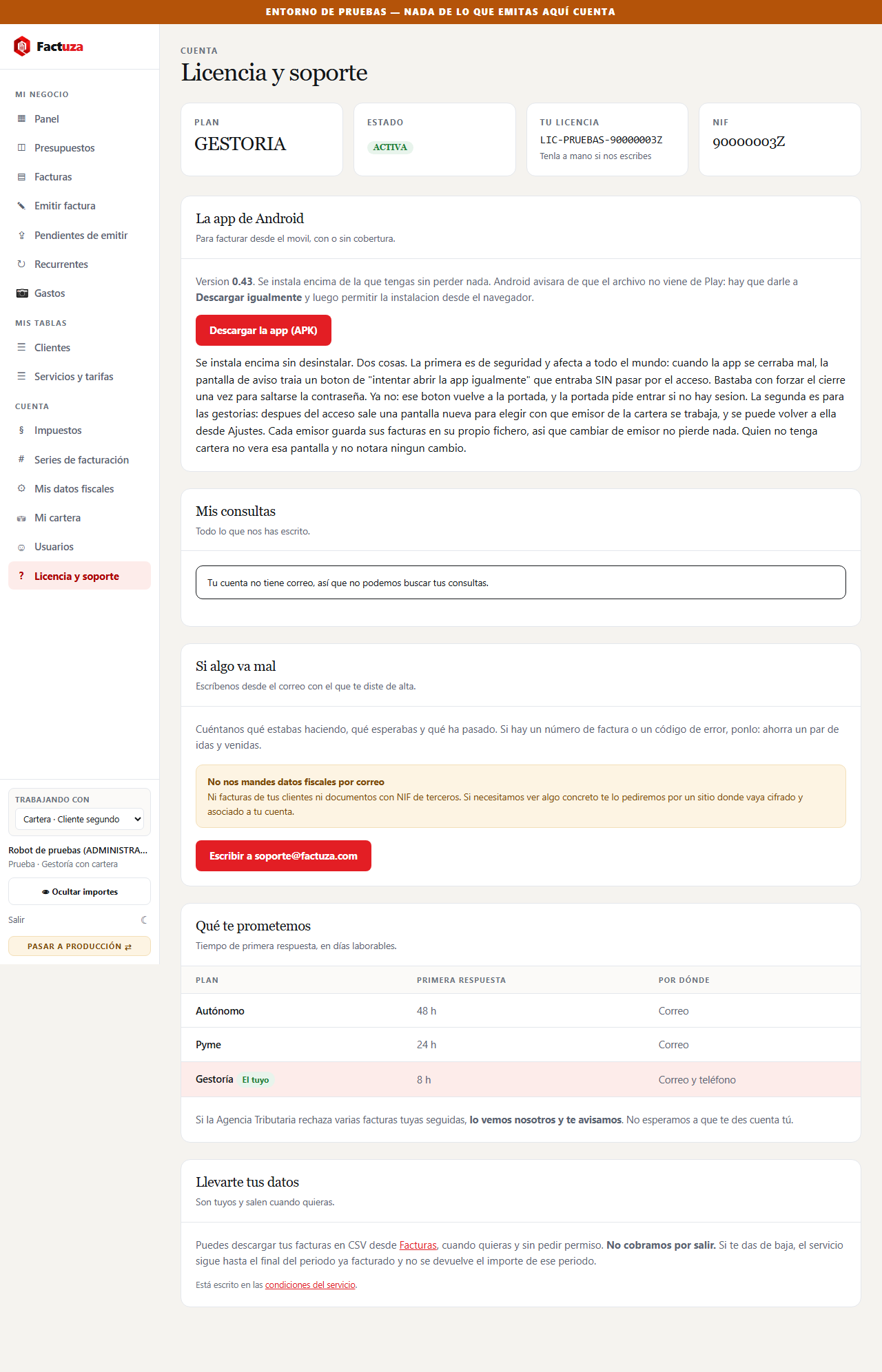
And support, where you can follow it
What it does not do yet
For the same reason we say above which returns calculate and which do not:
- Enlarging your bundle is not self-service. When it fills up, the screen says so and you write to us; we adjust it.
- A client cannot be transferred from another practice. A tax number can only be in one client base: its VERI*FACTU chain is a single chain and does not admit two owners. It gets resolved by talking.
- Each client's data is maintained by the practice, not by the client. There is currently no way for a client in your bundle to log in and see only their own.
Factuza launches on 15 September 2026. The Gestoría plan comes in bundles of 5, 10, 20, 25, 50, 100 and 150 clients. Exactly what each bundle includes →